Configuration
Customization
Personalize Superset to your workflow
Notification Sounds
Get audio notifications when agents finish or terminals exit.
Settings → Notifications → Choose a sound
Import custom ringtone audio files (MP3, WAV, OGG, up to 20MB) from Settings → Notifications. Preview any imported sound and set it as your active notification.
Project Colors
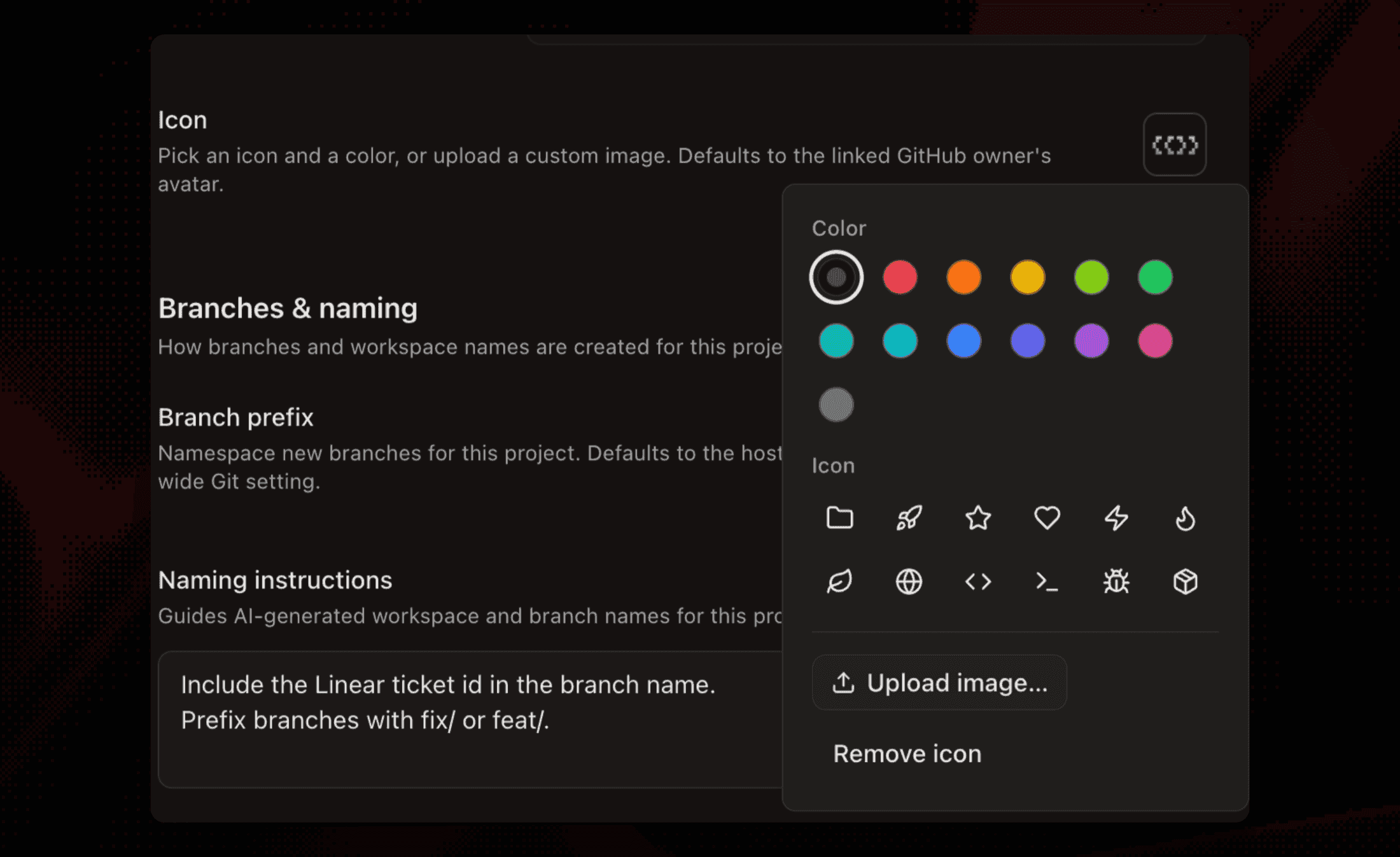
Color-code your projects in the sidebar for quick identification.
Click the project thumbnail in project settings to open the icon picker: choose an accent color, pick a glyph, or upload a custom image. Colors set on v1 projects carry over when they're imported.
Default Editor
Set which editor opens when you press ⌘O.
Settings → Editor → Select Cursor, VS Code, or other
File Open Mode
Control how files open when clicked in the file tree or changes view.
Settings → Behavior → File open mode
- Split pane (default) - Opens files by splitting the current tab
- New tab - Opens files in a new tab
Preview pane reuse works in both modes. This setting only affects the fallback when no reusable pane exists.
Terminal Scripts
Save reusable terminal commands, group them into panes or tabs, and launch them from the Scripts bar or CLI.
Settings → Terminal → Terminal Scripts
These are separate from repository setup, run, and teardown behavior, which uses project lifecycle scripts. See the full Terminal Scripts guide.
Custom Themes
Download a theme from the Marketplace, or start from a base theme JSON and customize it before importing.
Settings → Appearance → Theme → Marketplace / Download Base File / Import Theme
See full guide: Custom Themes
Settings Sync
Your settings sync across devices when signed in.