Core Features
Agent Sessions & Forking
Resume, fork, and hand off agent sessions
An agent session is one agent conversation running in one terminal. Superset can bring a session back after its terminal dies, copy it into a new session of the same agent, or pass its recent context to a different agent.
Resume Interrupted Sessions
If an agent's terminal dies under it (a crash, a reboot, a killed process), Superset resumes the session automatically: the pane relaunches the agent with its resume command (e.g. claude --resume <session-id>) and shows a "Resuming…" pill while it happens. Only unexpected deaths qualify: sessions you close or kill deliberately, and agents that exited cleanly, stay down.
If the resume fails, the pill turns into "Failed to resume" with a Retry button and a dismiss control.
Works for agents with an id-based resume command (the Resume Args field under Settings → Agents). From the CLI:
superset agents create --workspace ws_… --agent claude --resume-session <sessionId>Fork and Hand Off Sessions
The fork icon in an agent terminal's header opens two actions. Both open the new session in a split pane or a new tab.
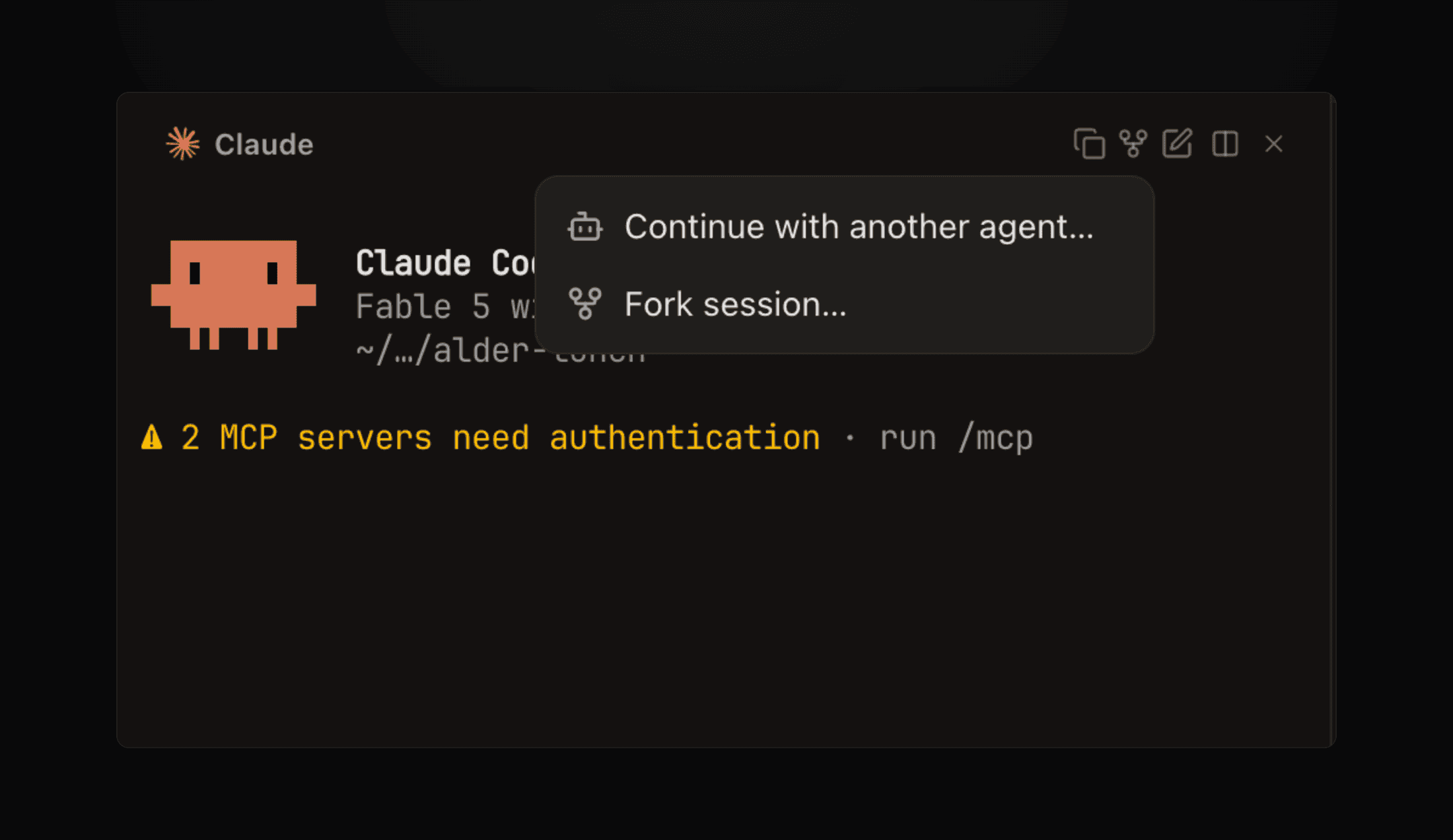
- Continue with another agent - Starts a fresh session of the agent you pick, seeded with this terminal's recent context. Use it when a session is stuck, out of context, or the wrong tool for the job. The dialog shows how many characters (and about how many tokens) it will send before you continue.
- Fork session - Starts a native copy of this session in the same agent, with the same conversation. The original session keeps running unchanged.
Fork
Fork uses the agent's own fork command, so the copy has the full conversation. Built-in agents that can fork, with the fork part of each command:
| Agent | Fork command |
|---|---|
| Claude Code | claude --resume <id> --fork-session |
| Codex | codex fork <id> |
| OpenCode | opencode --session <id> --fork |
| Pi | pi --fork <id> |
| Grok | grok --resume <id> --fork-session |
| Droid | droid --fork <id> |
Superset also passes the agent's launch flags, such as --dangerously-skip-permissions for Claude Code, so a fork runs with the same permissions as a new session. Settings → Agents shows each agent's command and fork args.
For other agents, set Fork Args under Settings → Agents. Fork session is disabled until Superset knows the agent's session id, and for agents without fork args. For Claude Code, Codex, OpenCode, and Pi, Superset refuses the fork if the agent has deleted the source session. For other agents, Superset cannot check, so the new pane opens and the agent reports the missing session there.
A fork copies the conversation, not the files. Both sessions work in the same workspace.
Continue with another agent
The new session gets a prompt that contains the last 36,000 characters of this terminal's context, marked as read-only history. The prompt tells the agent to check git status and the files first, because the workspace, not the transcript, is the source of truth. For Claude Code and Codex, Superset reads the agent's own saved conversation when it can. Otherwise it reads the terminal's recorded output stream, not only the visible screen.
A handoff sends terminal output to the target agent's provider. Superset removes terminal control codes but does not redact anything, so tokens, keys, or connection strings that a command printed go with it. If the session showed credentials, ask the agent for a summary and start the new agent with that instead.
Find Session and Terminal IDs
Click the copy icon in an agent terminal's header (Copy IDs):
- Copy agent session ID - The agent's own session id, used by
--resume-sessionand--fork-session - Copy terminal ID - The Superset terminal id, used by
--from-terminalandsuperset agents read
From the CLI
# Fork a session
superset agents create --workspace <workspace-id> --agent claude --fork-session <agent-session-id>
# Continue in another agent
superset agents create --workspace <workspace-id> --agent codex --from-terminal <terminal-id>
--from-terminal builds its own prompt, so it does not accept --prompt. Use --context-chars to send less than 36,000 characters. See agents create.
Read an Agent's Transcript
superset agents read returns the agent's saved conversation, including what scrolled off a full-screen interface. Superset can read saved transcripts for Claude Code and Codex. The command fails for other agents, and when the saved transcript is missing. It does not fall back to terminal output.
superset agents read --local --workspace <workspace-id> --terminal <terminal-id>